For the bored or the boardroom: When a smartphone becomes the gateway to life’s work and play

Optimise your time – and life – to the fullest with the Galaxy Note20 series smartphone. Images: Samsung. All images are for illustrative purposes only.


Brought to you by
The Samsung Galaxy Note20 series lets you fully embrace the mobile computing era.
Let’s face it. Our mobile phones are more about the ‘mobile’ than the ‘phone’ these days. Whether tweaking the presets for that next Insta-worthy post or clearing emails on the go, smartphones have become the heart-ware to our every day.
What 2020 brought – other than the global pandemic – was remote working as the new norm. This, in turn, has underscored the infinite possibilities of mobile computing. As everybody gets on board the nomadic train, what will the new breed of Gen Y users be like?
Technology conglomerate Samsung believes that the next-gen users will find productivity through tool efficiency, and thrive on collaboration through platform connectivity. These digital ninjas are always on, but purposefully so. They are ever willing to explore, and this intrepid curiosity grants them first dibs to opportunities. Their world is limitless.





Now, with its latest Galaxy Note20 series of smartphones, Samsung aims to empower this new generation of users to optimise their time – and life – to the fullest.
THERE’S A REASON WHY IT’S A NOTE
They say the pen is mightier than the sword. If so, the Samsung Galaxy Note20 series is here to claim victory. Incorporated within every Galaxy Note20 and Note20 Ultra 5G is the Samsung S Pen – a nifty tool that will revolutionise the way you work and play.
Our natural instinct when it comes to recording thoughts and ideas is to jot them down, and the S Pen leverages this behaviour and transforms it for a new generation. With improved latency, the pen offers a realistic writing experience with virtually no lag1.
You can jot things down on the go without even unlocking your Galaxy Note20 phone. Just pop out your S Pen, write and pin the note on your screen or save it in Samsung Notes – you’ll never have to search for pen and paper again.
If your friend is asking for directions, just open up Samsung Notes to draw a simple map and you can even attach your voice instructions for a multimedia guide. Or it could be your colleague requesting your feedback on that pitch deck – simply annotate on the super-responsive 120Hz Dynamic AMOLED 2X display2 without fussing over software. Experience a smooth scroll through your files and media, on the brightest and most vibrant display on any Galaxy smartphone today.
And if you have a special burst of creativity on a particular day, scribble down your thoughts and the phone straightens the text with a tap and exports3 it as a neat PPT file. You could be commuting in a train or lounging at the couch at home – there’s no place you should be that risks losing your thoughts.
If you need to control your phone remotely, an embedded low-energy Bluetooth module transforms the S Pen into quite literally a magic wand. Air Actions4 is a handy feature that lets you control apps like Spotify5 with up to 9 customisable gesture controls – flick right to skip tracks or move up to increase the volume. Its versatility means you could be controlling your selfies remotely one moment, then presenting that earlier slideshow you created with a click.
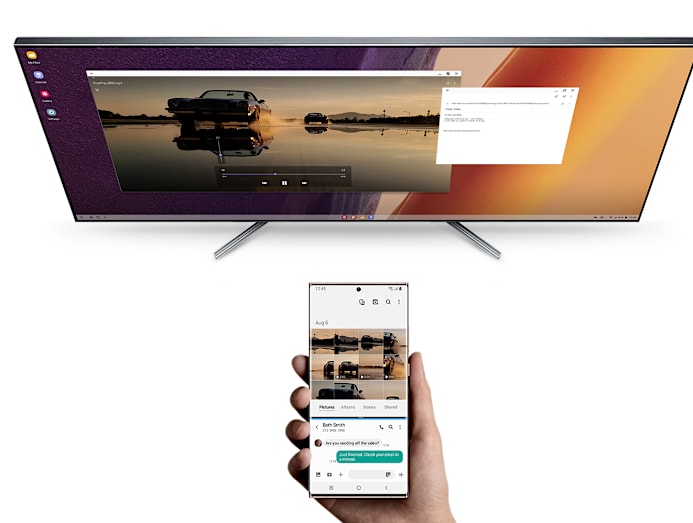
When you finally have time to be at your desktop or laptop, you’ll find all of the day’s work and notes automatically synced on the system, as long as the devices are logged into the same Samsung network or Wi-Fi connection.
And because it’s so important to stay focused, Samsung’s Link To Windows feature6 lets you have full control of mobile apps and chat screens from there by wirelessly connecting your phone to your desktop with a single tap. There’s no need to reach for your phone to make calls or reply messages.
FAST AS THE FUTURE
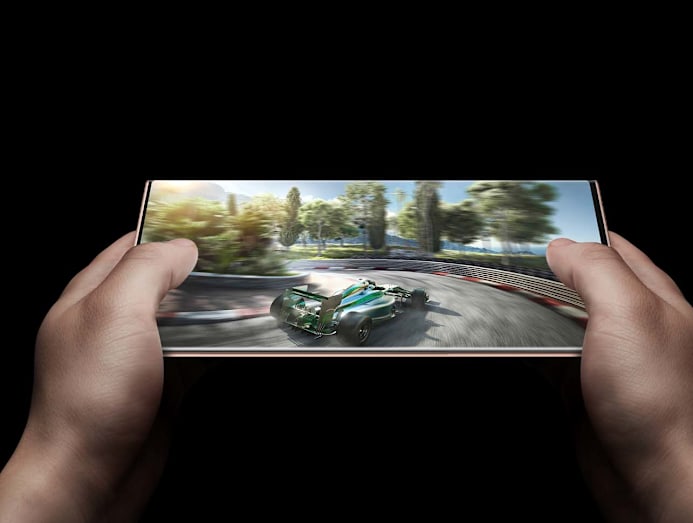
Hyperfast 5G connectivity7,8 is poised to be a game-changer in how we interact with the world around us. And it’s not just about speed. With less latency for responsiveness, better bandwidth for data transfer and higher density for ramped up connectivity, you can tap into a world that’s more transparent, more accessible.
The 5G-capable Galaxy Note20 series welcomes the new updates of this network, and bakes in Wi-Fi 6 for speedy and secure connection9, as well as WiFi Optimiser to keep latency low. What this means is that you’ll be always on, whether you are going full throttle on that racing game, having a video call at home or delivering power solutions at work.
TRIGGER HAPPY CREATIVITY
The visual creature that you are always needs to hone those aesthetics to a tee in pictures. You know the precise angle to take for a wefie as much as you know how to choose that winning visual to accompany your presentation deck.
Samsung Galaxy phones have always had a reputation for stellar camera specs, and the Galaxy Note20 series is no different. With 64MP on the Galaxy Note20 and Note20 5G, and 108MP on the Galaxy Note20 Ultra 5G, expect to capture ultra-clear pictures for full-on impact. Reach for the moon – it’s a Galaxy after all – with up to 50x Space Zoom10 and 5x Optical Zoom on the Galaxy Note20 Ultra 5G.
Video consumption is soaring as a medium, so having a portable recording device is not just for the bloggers or influencers, but for corporate types, too. Create professional-grade presentations with videos that can benefit from the startling sharpness and cinematic realism afforded by 8K recording at 24fps.
Manual settings on Pro Video let you be a true director, tweaking ISO, shutter speed and even depth-of-field for that distinct bokeh in the background. And because you need to be heard, polish up that presentation clip or that birthday home video with the Samsung Galaxy earbuds (sold separately) for optimal audio quality while recording. Thanks to multi-source mic control, you’ll have full control of the audio and be able to record multiple audio sources, isolate your subject's voice and cut out background chatter.
This is the social and business game upped many rungs.
MAKE THEIR YEAR, WITH GALAXY
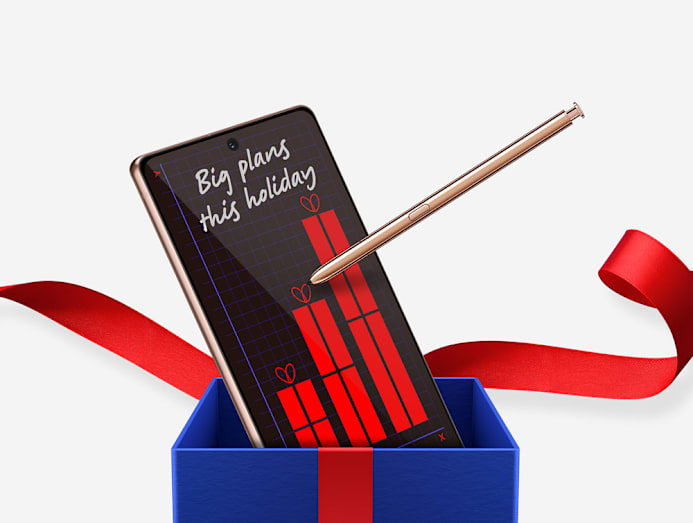
Give the gift that turns work into play. The Galaxy Note20 series now comes with a nice bonus – up to S$150 off the device plus free Galaxy Buds Live (Mystic Black)11 worth S$288.
You can even get a Galaxy Note20 at $0 upfront, based on interest-free monthly instalment payment plans on OCBC or UOB credit cards with six, 12, 24 or 36 months’ tenure for purchases above S$500 from the Samsung Online Store (terms and conditions apply). Interest-free monthly instalment plan options are also available at Samsung Experience Stores. Check in-store for details.
Trading in your old device for the Galaxy Note20 series gives you an additional S$100 trade-in value.
Get ready to rewrite the new year with the Samsung Galaxy Note20 series. 1 Galaxy Note20 Ultra 5G, Note20 5G and Note20 S Pen latency may vary due to technological differences. S Pen latency may vary by app. 2 Default screen mode is 120Hz. 120Hz refresh rate is only available on Galaxy Note20 Ultra 5G, up to FHD+ screen setting. 3 Text export function may require processing; availability may vary by language. 4 Supports selected apps only, with a limit of 9 customisable gesture controls. To activate gesture control, press down on S Pen button and wave S Pen like a wand in its assigned gestures. S Pen's operable distance extends approximately 10m from the device in open space. Actual performance may vary depending on environment and other surrounding factors and conditions. 5 Subscription required. Charges may apply. 6 To connect your phone to your PC, activate Link To Windows and use the Your Phone application on your PC. Your Phone application is preloaded on PCs with Windows 10, Oct 2018 update or later, and is downloadable for Windows 10, April 2018 update or later versions. Galaxy Note20 Ultra 5G and PC must be on the same Wi-Fi connection. Some mobile apps may restrict content sharing on other screens or may require a touchscreen. 7 Requires optimal 5G connection. 5G services are only supported in 5G network-enabled locations in 5G-ready countries. Actual speed may vary depending on country, carrier and user environment. 8 Samsung Galaxy Note20 Ultra 5G and Note20 5G are 5G-capable and can be used to access 5G network in Singapore. SIM card upgrade and/or software update may be required. Data subscription fees apply. 9 Requires optimal network or Wi-Fi connection. Speed may vary depending on country, carrier and user environment. 10 50x zoom is only available on Galaxy Note20 Ultra 5G. Space Zoom includes digital zoom, which may cause image deterioration. 11 While stocks last; terms and conditions apply.